AI Images for Blogs: A Practical Guide to Visuals That Boost Engagement
Use AI-generated images strategically to increase time on page, social shares, and brand consistency across your blog.

Use AI-generated images strategically to increase time on page, social shares, and brand consistency across your blog.
Pranjal Jain
If you’re publishing great articles but still seeing low time on page, weak social shares, and high bounce rates, your visuals are probably the missing piece.
Used well, AI images for blogs can make readers stop scrolling, actually read, and remember your brand.
In this guide, you’ll learn exactly how to use AI-generated visuals to boost engagement, avoid common pitfalls, and build a consistent visual style across your content marketing.
We’ll cover strategy, tools, prompts, image types, SEO, and workflows you can plug straight into your blog process.
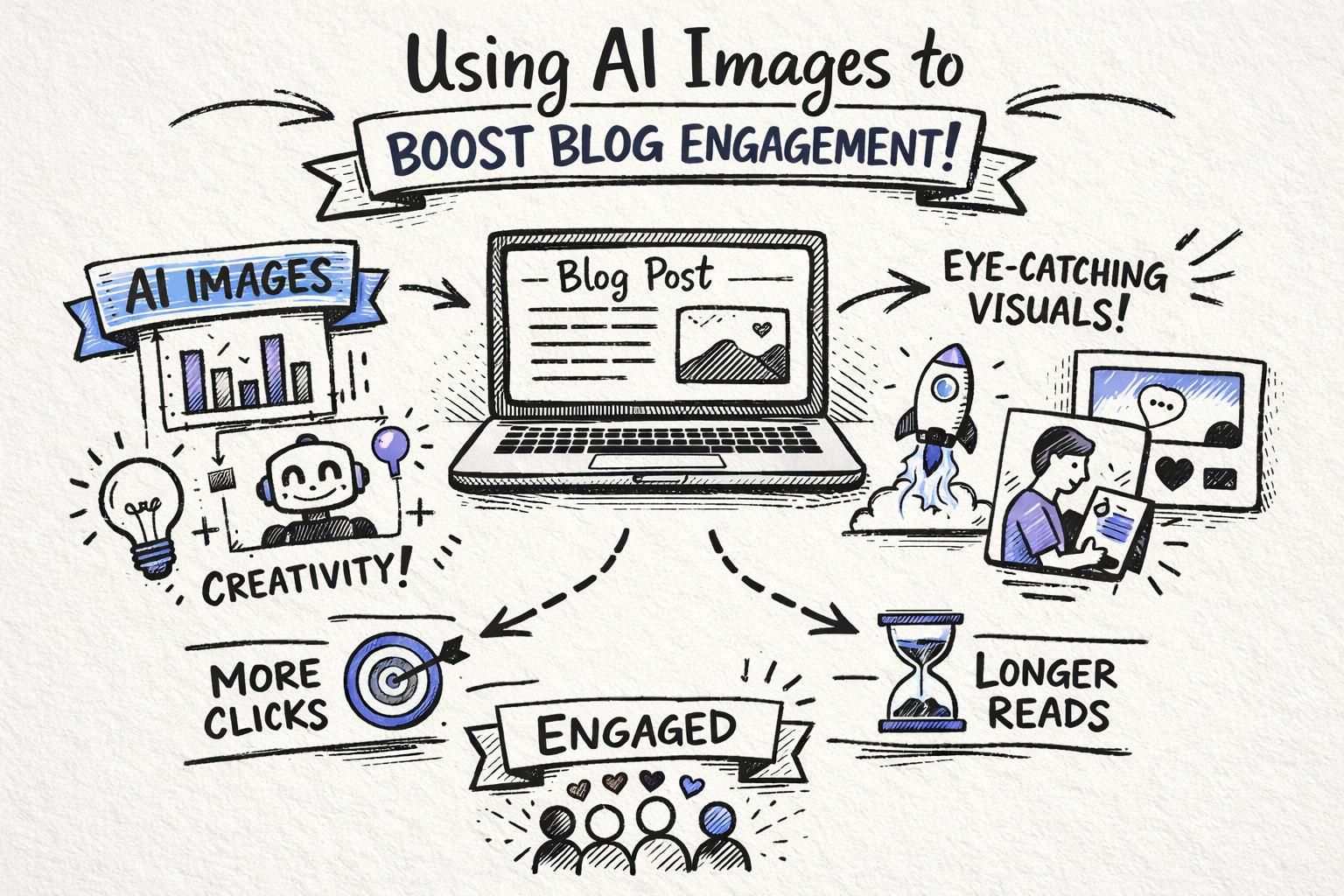
AI images for blogs are visuals created with artificial intelligence tools instead of cameras or traditional design software.
Instead of hiring a designer or buying stock photos, you describe what you want in text (a “prompt”), and an AI model generates a custom image in seconds.
For content marketers and bloggers, this means you can create:
Custom hero images tailored to each article
Explainer diagrams and frameworks
On-brand illustrations and icons
Social preview images for posts and newsletters
Done right, AI blog graphics can feel more unique and relevant than generic stock photos, while being far faster and cheaper than traditional design.
Visuals aren’t decoration—they’re performance drivers.
Multiple studies show that content with strong visuals gets more attention and better recall. For example, research summarized by the National Library of Medicine highlights how combining text with images significantly improves learning and retention.
In content marketing terms, good blog visuals typically improve:
Time on page – images break up walls of text and keep readers scrolling
Scroll depth – diagrams and frameworks pull people further down the page
Social shares – strong hero images and quote cards perform better on feeds
Brand recall – consistent visual style makes your brand recognizable
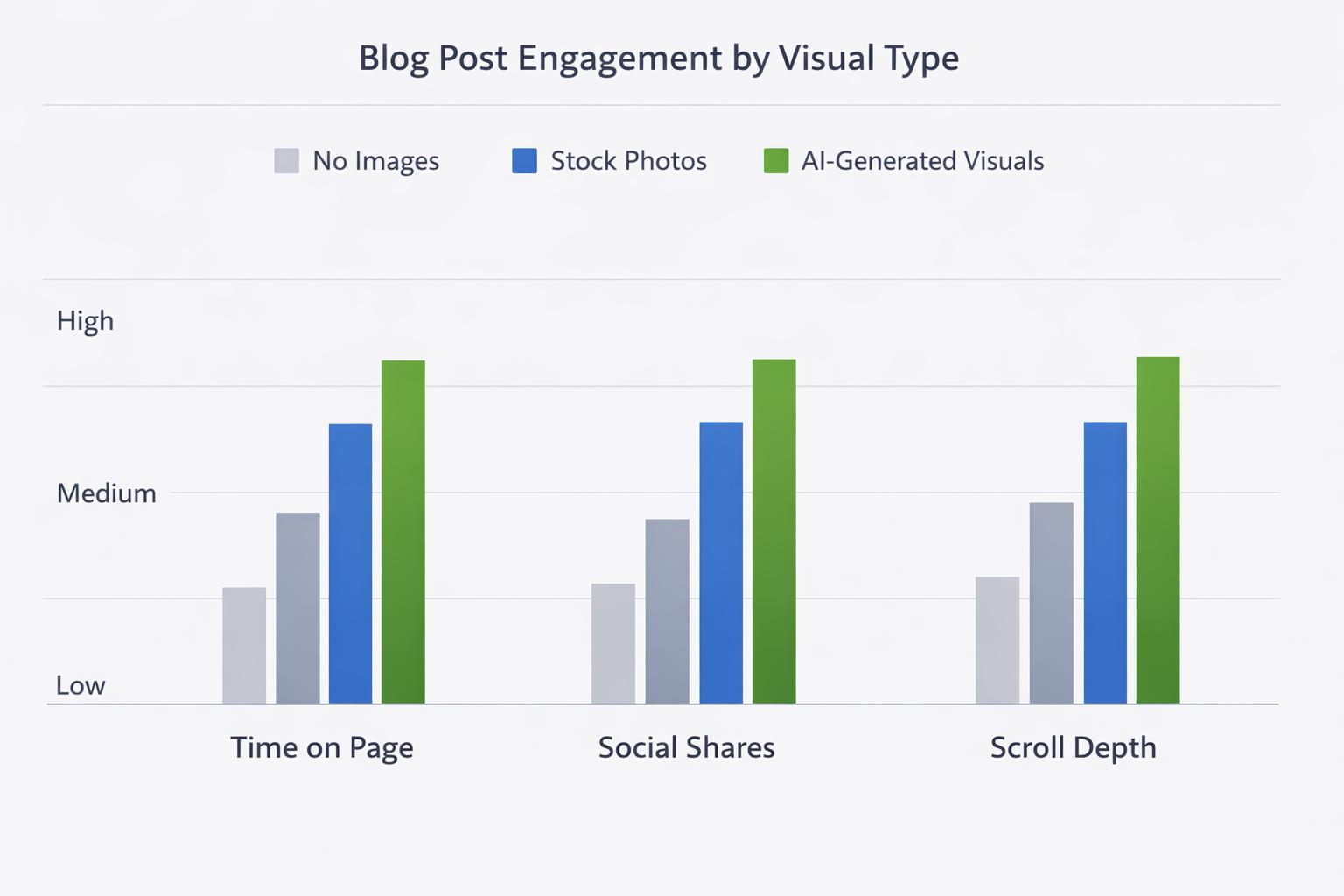
AI image generation for blogs makes it realistic to add these performance-boosting visuals to every article, not just a few flagship pieces.
To get the most from AI-generated visuals, be intentional about where and why you use them.
Your hero image is what shows up in social previews, on your blog listing page, and at the top of the article.
Use AI to create conceptual, on-brand hero visuals that reflect the promise of the headline, not just a literal photo.
For “AI Images for Blogs,” a hero could show a blog post surrounded by generated visuals and analytics.
For “Email Marketing Automation,” a hero could show a flow of messages moving through an automated pipeline.
Avoid overused stock-style imagery (people pointing at screens, random office shots). AI can do better.
Any time you explain a process, framework, or comparison, consider a diagram.
Examples:
Step-by-step funnels
Before/after comparisons
Decision trees (“if X, then Y”)
Simple flowcharts for workflows
These visuals help readers understand and remember your content, which can increase perceived value and backlinks.
Long posts benefit from visual “rests.” A simple illustration or conceptual image every 400–600 words can dramatically improve readability.
Use AI blog graphics to:
Introduce new sections or topics
Highlight key examples or case studies
Visually differentiate “how-to” sections from strategy sections
Every strong visual you generate for a blog post can be reused as:
Social media cards
Email newsletter headers
Slide images for webinars
Lead magnet or ebook illustrations
This turns one AI prompt into assets for multiple channels, multiplying the ROI of your content marketing visuals.
Not all AI images are equally useful for blogging. These formats tend to perform best.
Use these to represent abstract ideas like “growth,” “leverage,” or “workflow” without resorting to clichés.
Think: sketchnotes, minimal line art, flat illustrations
Use consistent brand colors and a repeatable style
Ideal for hero images and section headers
AI can help you quickly draft diagrams that a designer might later refine—or, for many blogs, they’re already “good enough.”
Flowcharts for processes
Venn diagrams for overlaps
Step-by-step ladders or pyramids
Simple comparison tables as images
These are especially effective for social previews and hero images.
Examples:
Content strategy as a city map
SEO as a garden you nurture over time
Marketing automation as a well-oiled machine
Metaphors help complex topics feel approachable and memorable.
When you reference data or trends, a simple chart-style image can add authority.
Directional bar or line charts (no need for exact numbers)
Funnel diagrams to show conversion stages
Heatmap-style visuals to show attention or impact
Just ensure you’re not misleading readers—if you show data, it should reflect the underlying reality.
Here’s a simple workflow you can apply to any article.
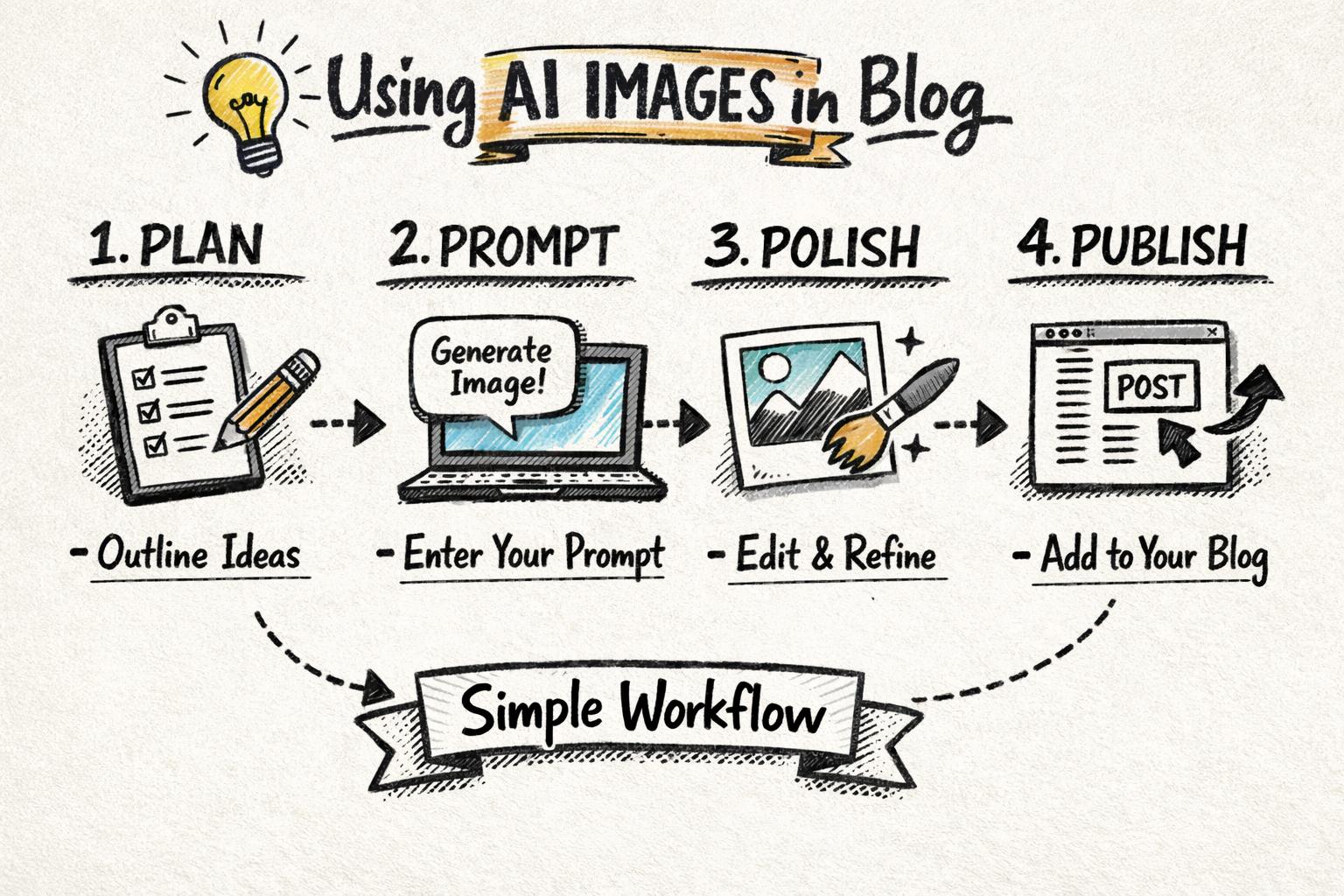
Before you open an AI tool, decide what each image should do.
Hero image – grab attention, visualize the promise of the headline
Explainer image – clarify a process, framework, or comparison
Section break image – give the eye a rest and reset attention
Social/email image – work well in feeds and inboxes
One article might need 3–6 images with different roles.
Good prompts make or break AI image generation for blogs. Use a simple template:
[Subject] + [Style] + [Purpose] + [Brand cues]
Examples:
“Blog hero illustration of a content marketer using AI to generate blog posts and images, flat minimal style, clean white background, using navy blue and purple accent colors, for a SaaS content marketing blog.”
“Simple flowchart diagram showing a 4-step content workflow: research, write, design visuals, publish, in a sketchnote style with hand-drawn arrows, using teal and dark gray.”
Be clear about what you don’t want too: “no people,” “no photorealism,” “no text labels,” etc.
Run a few prompt variations and generate multiple options for each key image (especially the hero).
Evaluate images based on:
Clarity – can a skim reader quickly understand what it represents?
Relevance – does it clearly connect to the section or headline?
Consistency – does it match your brand style and other visuals?
Legibility – will it still look good as a small thumbnail or social preview?
Most AI images benefit from quick touch-ups:
Cropping for better focus
Adjusting brightness/contrast
Adding your logo or subtle brand mark
Resizing for web performance (e.g., 1200px wide hero, compressed)
Tools like Figma, Canva, or native editors in your CMS or AI blogging platform make this fast.
To build brand recognition, aim for:
1–2 primary illustration styles (e.g., flat vector + sketchnote)
A fixed color palette (your brand colors + 1–2 neutrals)
Consistent line weight, shading, and level of detail
Create a simple “visual style guide” document with:
Prompt templates you reuse
Example images that feel “on-brand”
Notes on what to avoid (e.g., photorealistic faces, busy backgrounds)
AI images are powerful, but they shouldn’t replace everything.
Use real screenshots when showing product features
Use real photos for customer stories and team content
Use AI illustrations for concepts, frameworks, and abstract ideas
This mix keeps your content trustworthy while benefiting from AI’s speed and flexibility.
AI visuals raise questions about originality and disclosure.
Check your tool’s usage and licensing policies to ensure commercial use is allowed
Avoid copying specific artists’ names or styles in prompts
Consider noting “image generated with AI” in alt text or captions if it matters to your audience
AI images for blogs should help your search performance, not hurt it.
Use descriptive file names (e.g., ai-images-for-blogs-workflow.png)
Write meaningful alt text that describes the image and context
Compress images to keep page load times fast (Google factors this into rankings)
Use srcset or responsive image settings where your CMS supports it
Google’s own image SEO guidelines are a useful reference when designing your workflow.
You can absolutely bolt AI image tools onto a manual blog process. But if you’re publishing at scale, managing everything separately gets messy fast.
There are two main approaches:
These focus purely on generating images.
Pros: lots of control, advanced settings, often cheaper per image
Cons: disconnected from your content workflow, manual uploads, harder to keep style consistent across a large content library
Platforms like Supablog combine AI writing, SEO optimization, and AI image generation for blogs in one place.
Generate SEO-optimized articles and visuals together
Keep a consistent visual style across posts with reusable prompts
Publish directly to WordPress, Webflow, Shopify, Framer, and more
Track performance with analytics so you can see how images affect engagement
If you’re serious about scaling content production, an AI blogging platform removes a lot of friction from planning, writing, designing, and publishing.
Supablog is built for teams and solo creators who want to grow organic traffic without adding headcount.
Alongside generating SEO-optimized articles, Supablog can:
Create on-brand AI images in different styles directly inside your post editor
Automatically suggest where visuals will improve readability and engagement
Help you repurpose those visuals for social media and email campaigns
Measure performance so you can double down on what works
Because it also handles automatic keyword research, multi-platform publishing, and blog performance analytics, you get a complete content marketing workflow in one tool.
More images aren’t always better. Too many can slow pages down and distract from the main message.
A good rule of thumb:
1 hero image
1 visual for every 400–600 words
Extra diagrams only when they genuinely clarify something
Jumping between wildly different art styles (3D, anime, photorealistic, flat vector) makes your blog feel disjointed.
Pick a small set of styles and stick to them. Save your best prompts and reuse them as templates.
AI often struggles with text. Avoid relying on AI to generate text-heavy diagrams or screenshots.
Keep any text in images minimal and large
Use your design tool or CMS to add labels or captions instead
Always check how images look on mobile before publishing
Most blog traffic is now mobile. Complex, detailed images may look great on desktop but become unreadable on phones.
Favor simple, bold compositions with clear shapes and minimal clutter.
For your next article, try this minimal but effective plan:
Outline the post and mark 3–5 spots where a visual would genuinely help (hero, key framework, complex explanation, data point).
Decide the type of image needed for each spot (hero illustration, diagram, metaphor, chart).
Write prompts using the [Subject] + [Style] + [Purpose] + [Brand cues] template.
Generate 3–4 options for the hero and 1–2 for each supporting image.
Edit and compress the final images, add descriptive alt text, and upload.
Review on mobile to ensure everything is readable and loads quickly.
As you repeat this workflow across multiple posts, you’ll build a library of prompts and visuals that make future content faster and more effective.
AI images for blogs are no longer a nice-to-have—they’re a practical way to increase time on page, social shares, and brand consistency without slowing your team down.
If you want to:
Generate SEO-optimized articles and matching visuals in one place
Keep a consistent visual style across dozens or hundreds of posts
Publish to multiple platforms without copy-pasting assets
See exactly how visuals impact engagement and organic traffic
Then an AI-powered blogging platform like Supablog is worth testing.
You can start a 14-day free trial, generate a few posts with integrated AI images, and see how they affect your engagement metrics before committing long term.
Written by
Pranjal JainFounder of Supablog, Pranjal is a software engineer passionate about building SaaS products that empower founders to grow and scale their businesses. With a strong focus on practical innovation, he creates tools that solve real-world challenges in the SaaS ecosystem. Outside of building and writing, he enjoys reading and traveling, drawing inspiration from new ideas, cultures, and experiences.