Blog Automation Software: 7 Workflows That Save Marketers 10+ Hours a Week
Automate repetitive blogging tasks like keyword research, drafting, publishing, and reporting without sacrificing control.

Automate repetitive blogging tasks like keyword research, drafting, publishing, and reporting without sacrificing control.
Pranjal Jain
Most marketing teams don’t lose time writing; they lose it on everything around the writing — keyword research, briefs, uploads, formatting, image sourcing, internal links, approvals, and reporting.
That’s exactly what modern blog automation software is built to fix. When you design the right automated blogging workflows, you can cut 10+ hours a week without handing your brand over to a robot.
In this guide, you’ll see 7 practical automation workflows you can plug into your stack today: from AI-assisted keyword research to auto-publishing and performance reporting. We’ll focus on where automation is safe, where you still need a human, and what a tool like Supablog can handle end-to-end.
Use this as a blueprint to redesign your content operations so your team spends time on strategy, not busywork.
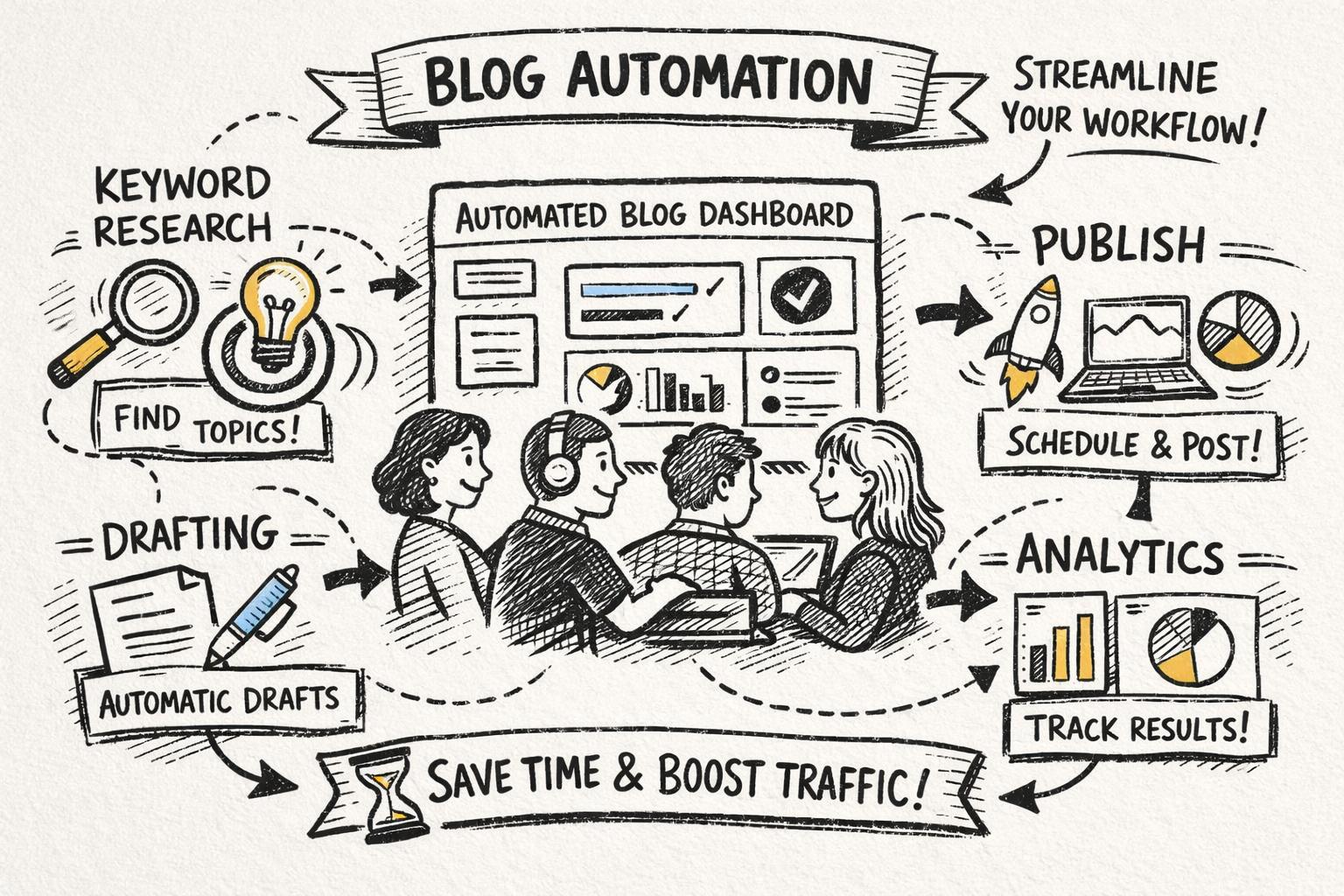
Blog automation software is any platform that automates repetitive blogging tasks across the content lifecycle — research, planning, drafting, optimization, publishing, distribution, and reporting.
The best tools don’t just “generate content.” They connect the dots between:
Automatic keyword discovery and clustering
AI-assisted drafting with SEO best practices baked in
On-page optimization (headings, meta tags, internal links, images)
Multi-platform publishing (WordPress, Webflow, Shopify, Framer, etc.)
Performance analytics and content updates
Think of it as a content operations layer that sits on top of your CMS and SEO tools, orchestrating everything that doesn’t need a strategist’s brain.
Across teams that adopt content automation tools, it’s common to see:
30–60% reduction in time spent on research and briefing
50–70% faster first drafts for SEO blog posts
90% of publishing steps (formatting, images, internal links) handled automatically
Reporting that goes from “monthly manual” to always-on
For a marketer or content lead spending 15–20 hours a week on blog-related work, that’s easily 10+ hours reclaimed — which you can reinvest into strategy, experimentation, and higher-quality content.
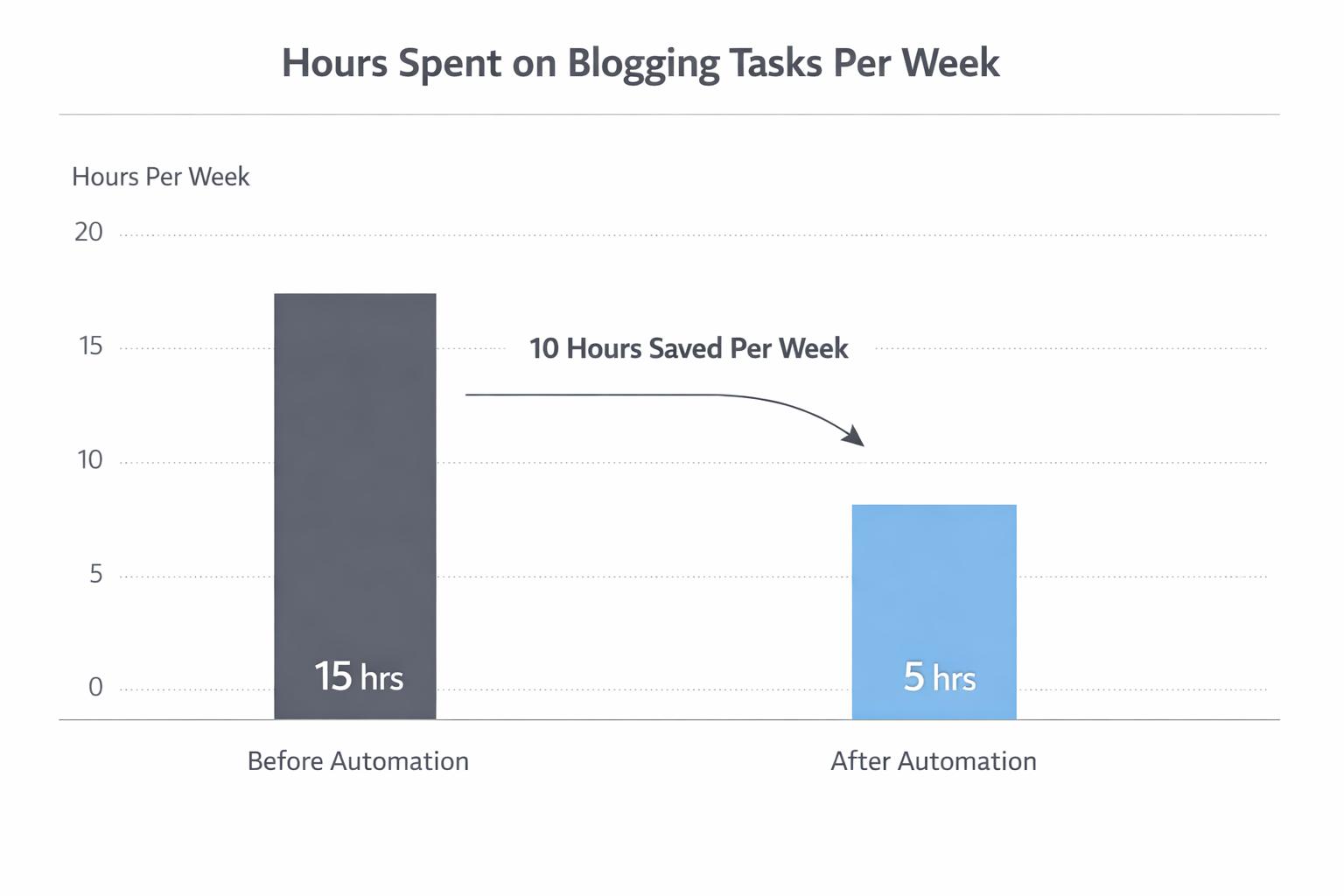
Below are seven workflows that deliver those savings in practice.
Manual keyword research is one of the biggest time sinks in SEO-driven blogging. You jump between tools, export CSVs, cluster keywords, and then try to turn them into a coherent content plan.
With the right blog automation software, you can automate 80–90% of this process.
Finding keyword opportunities based on your domain and competitors
Clustering keywords into topics and subtopics
Mapping topics to search intent (informational, commercial, transactional)
Generating content ideas and suggested titles for each cluster
You connect your site and define your niche or target audience.
Supablog runs automatic keyword research in the background — no manual CSV exports.
The platform groups related keywords into blog topics and recommends which to prioritize based on difficulty and potential traffic.
For each topic, it can propose SEO-friendly titles and outlines tailored to your audience.
Choosing which clusters align with revenue, not just traffic
Refining titles for positioning and differentiation
Sequencing topics into a coherent content roadmap
This alone can save 3–5 hours a week for content leads who previously lived inside keyword tools.
Most marketers don’t want a “one-click blog post.” They want structured, on-brief drafts that writers or editors can quickly refine.
That’s where AI blog automation shines: turning keyword inputs and outlines into solid first drafts.
Turning a target keyword or topic into a detailed outline
Including key subtopics, FAQs, and semantic keywords for SEO
Generating a first draft in your brand’s tone of voice
Adding suggested headings, meta description, and title tag
Pick a keyword or topic from your automated research.
Choose article length, language (150+ supported), and tone.
Supablog generates an SEO-optimized draft with logical structure, headings, and internal linking suggestions.
You or your writer edit for nuance, examples, and brand stories.
Adding unique data, case studies, and quotes
Ensuring claims are accurate and up to date
Aligning the narrative with your positioning and offers
Expect to cut drafting time by 50–70%, especially on mid-funnel and educational content where structure matters more than creative flair.
Even experienced writers miss small SEO details when they’re rushing: heading structure, internal links, image alt text, schema, and so on. Doing this manually for every post is tedious and error-prone.
Checking keyword placement in title, H1, H2s, and body
Generating SEO titles and meta descriptions that match search intent
Suggesting internal links based on your existing content
Creating descriptive image alt text and file names
Flagging readability issues (sentence length, passive voice, jargon)
As you draft or import content, the tool runs an SEO checklist in real time.
It recommends improvements (e.g., “Add primary keyword to first 100 words” or “Include internal link to X topic”).
Some platforms, including Supablog, can auto-apply fixes — like generating meta tags or alt text for you.
This reduces the need for a separate manual SEO pass on every post and keeps your content consistently optimized, even when less technical writers are involved.
Formatting a post can easily take 30–60 minutes: finding images, resizing them, adding captions, embedding videos, and fixing spacing and headings in your CMS.
Modern content automation tools can do most of this for you.
Generating on-brand images for headers or sections using AI
Embedding relevant YouTube videos based on your topic
Applying consistent heading styles, spacing, and lists
Inserting callouts, quotes, and CTAs using templates
For each article, Supablog can generate AI images in different styles and insert them where they add value.
It can automatically embed relevant YouTube videos to increase time on page.
The editor exports clean HTML that preserves formatting across WordPress, Webflow, Shopify, and other platforms.
Choosing which sections truly need visual support
Ensuring images and videos align with brand and messaging
Writing high-impact CTAs and offer blocks
This workflow can save 1–2 hours per post — especially valuable for teams publishing multiple articles per week.
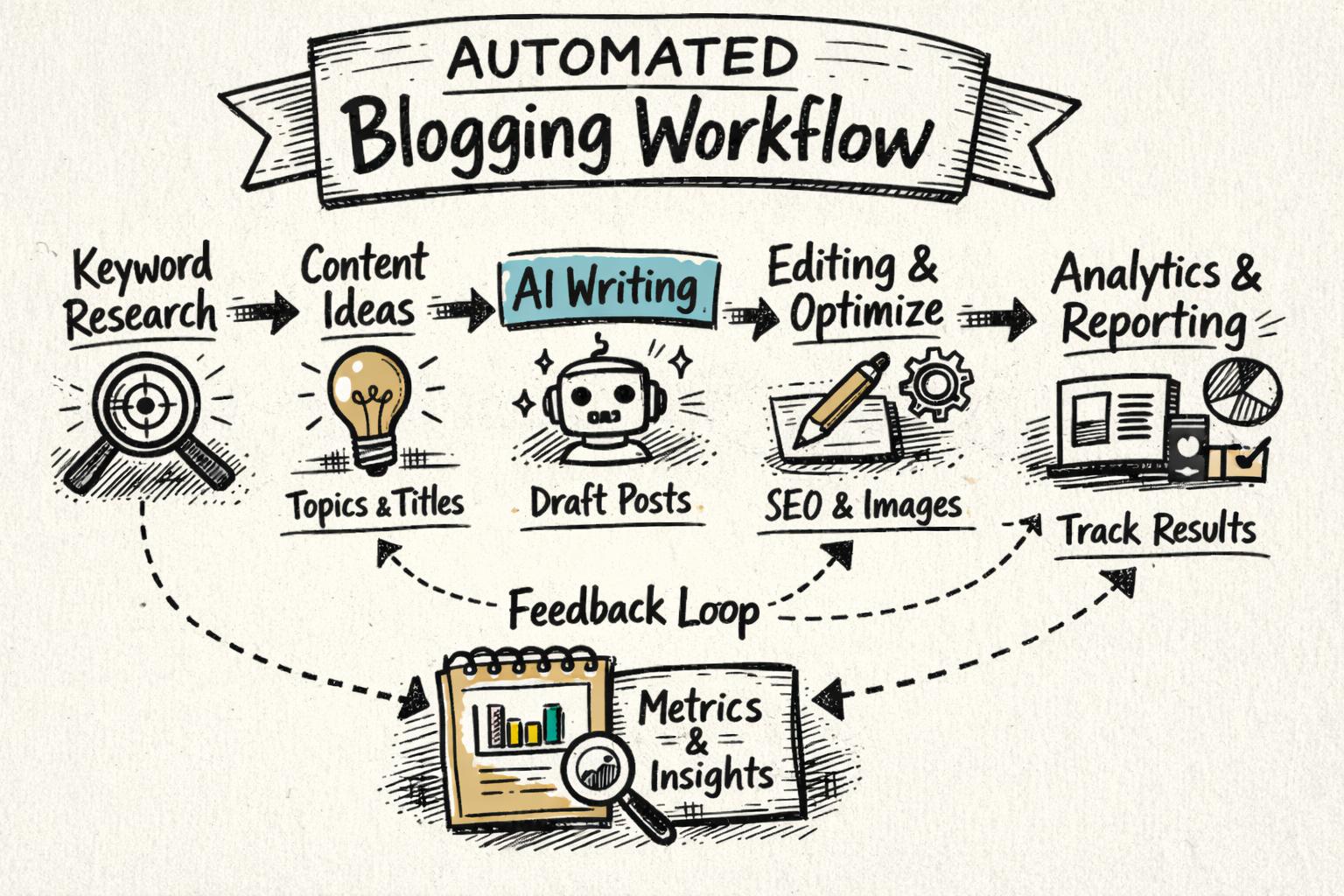
Publishing shouldn’t require logging into three different CMSs, reformatting the same article, and manually updating URLs.
With the right blog publishing automation, you can move from “draft approved” to “live everywhere” in a few clicks.
Converting your final draft into CMS-ready HTML or blocks
Publishing to multiple platforms (WordPress, Webflow, Shopify, Framer, etc.)
Scheduling posts for future dates and times
Applying consistent URL structures, categories, and tags
Connect your CMS accounts once.
From the Supablog dashboard, choose where each article should go.
Publish immediately or schedule — Supablog handles the formatting and upload for you.
Keep an overview of what’s published, scheduled, or in draft across sites.
This is especially powerful for agencies and multi-brand teams that manage several blogs at once.
Publishing is only half the job. To grow organic traffic, you need to monitor performance and keep content fresh — but pulling reports from analytics tools and deciding what to update can eat entire days each month.
Tracking key metrics for each post (traffic, rankings, conversions)
Flagging underperforming or decaying content
Suggesting update opportunities (add new sections, improve internal links, refresh data)
Generating updated drafts or sections with AI
Integrate with your analytics and search data (e.g., Google Analytics, Google Search Console).
Use dashboards to quickly see which posts are gaining or losing traction.
Trigger AI rewrites for posts that need updates — Supablog supports unlimited rewrites.
Republish updated content across platforms without manual copy-paste.
This turns content maintenance from a sporadic, manual chore into a predictable, automated process.
Backlinks are still one of the strongest ranking signals, but traditional outreach is slow and expensive. While no tool can fully automate genuine relationship-building, marketing content automation can streamline parts of the process.
Identifying potential link partners and relevant sites
Coordinating backlink exchanges within a vetted network
Tracking which posts have backlinks and from where
Suggesting content that’s most likely to attract links
Supablog offers automated backlink exchange to help you earn high-DR backlinks without manual outreach.
You can see which articles are benefiting from links and prioritize similar content.
Combined with strong on-page SEO, this accelerates your path to ranking on competitive terms.
For deeper context on why backlinks still matter, the Google Search Essentials (SEO Starter Guide) explains how links help search engines understand authority and relevance.
Automation should remove repetitive work so your team can spend more time on strategy, creativity, and talking to customers — not replace the thinking that makes your content worth reading.

Not all AI blog automation is created equal. To protect your brand and results, evaluate tools on more than just “can it generate content?”
Can you define tone, style, and formatting preferences?
Does the tool support human-in-the-loop editing before anything goes live?
Is it easy to review and approve drafts at scale?
Does it integrate with your analytics stack for performance tracking?
Are SEO best practices built in (titles, meta, internal links, schema)?
Can it help you prioritize content based on impact, not just volume?
Does it work with your CMS (WordPress, Webflow, Shopify, Framer, etc.)?
Can you manage all your blogs from one dashboard?
Is the exported HTML clean and easy to maintain?
Can you control who can publish vs. who can draft?
Is there an audit trail of changes and versions?
Does the vendor clearly explain how AI outputs are generated and where data is stored?
For additional guidance on evaluating AI tools responsibly, you can reference the Google AI Principles and the ISO/IEC 42001 standard for AI management systems.
To make this concrete, here’s how a content marketer might use Supablog in a typical week to implement the automated blogging workflows above.
Review Supablog’s automatic keyword research and topic suggestions.
Pick 3–5 topics aligned with current campaigns or product launches.
Generate outlines and assign them to writers or keep them for AI drafting.
Use Supablog’s AI to create first drafts for each topic.
Edit for nuance, add examples, and verify claims.
Let the platform handle on-page SEO checks, meta tags, and internal link suggestions.
Generate AI images and pull in relevant YouTube videos.
Preview how posts will look on each CMS.
Schedule posts to publish across WordPress, Webflow, or Shopify from a single dashboard.
Check analytics inside Supablog to see which posts are performing.
Identify older posts that need AI-assisted rewrites or expansions.
Review backlink opportunities surfaced by the automated exchange.
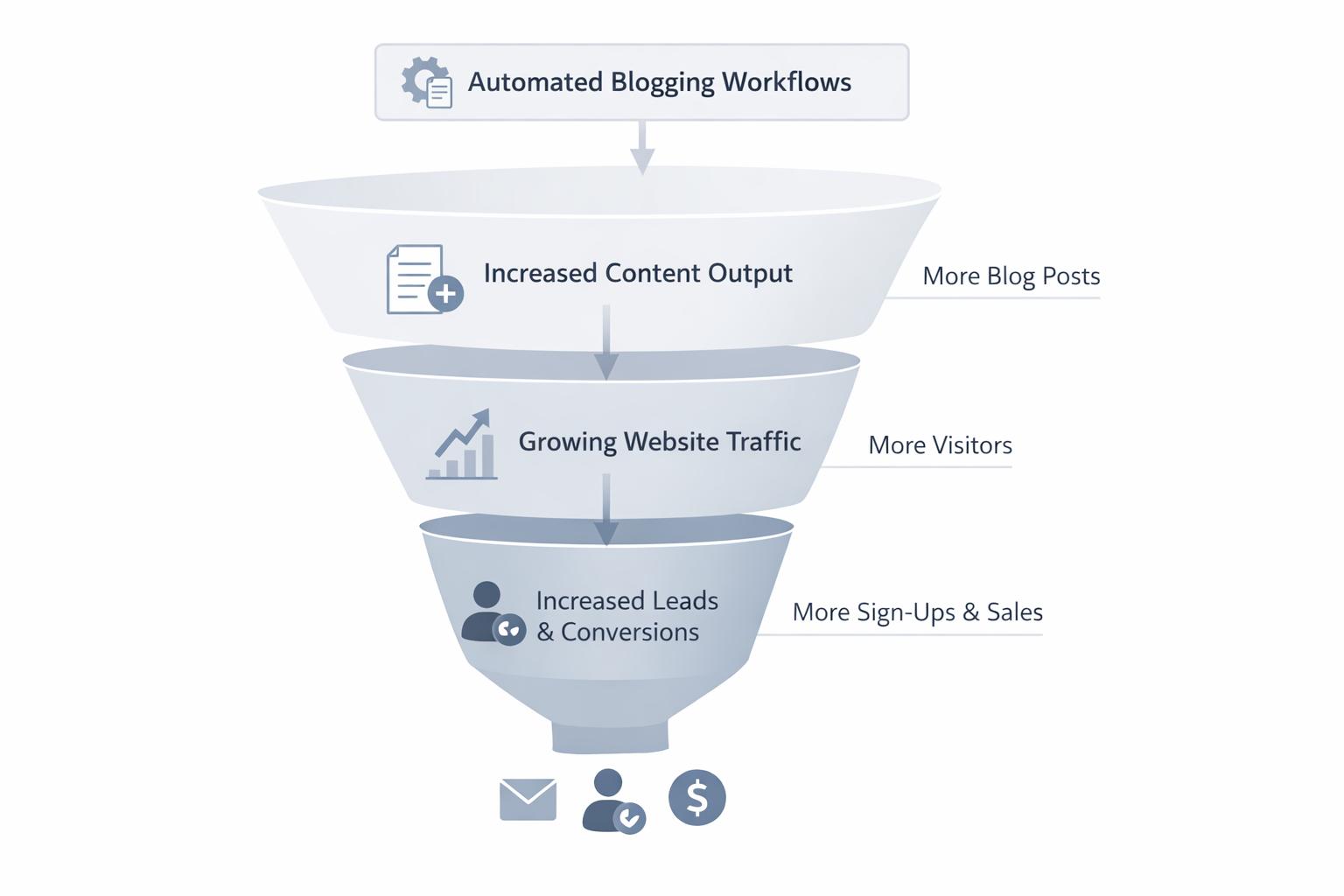
Done wrong, automation can hurt your brand or search performance. Watch out for:
Publishing unedited AI content at scale — this risks inaccuracies, thin content, and brand misalignment.
Chasing volume over value — more posts don’t help if they don’t match search intent or your ICP’s needs.
Ignoring E-E-A-T (experience, expertise, authoritativeness, trustworthiness) — Google’s documentation on article structured data and quality is a good reference.
Automating promotion poorly — spammy outreach or low-quality link schemes can do more harm than good.
The goal is to automate process, not judgment. Keep humans in the loop for strategy, final review, and anything that touches your brand’s reputation.
If your team spends hours every week on keyword research, drafting, formatting, publishing, and reporting, you’re not alone — but you are leaving leverage on the table.
By implementing the seven automated blogging workflows above with the right blog automation software, you can:
Save 10+ hours a week per marketer
Publish more consistently without burning out your team
Improve SEO performance with built-in best practices
Free up time for strategy, experimentation, and creative work
If you want an all-in-one platform that combines AI content generation, SEO optimization, multi-platform publishing, analytics, AI image generation, and automated backlink building, Supablog is designed specifically for that.
Start a 14-day free trial, experiment with these workflows on a few posts, and measure how many hours — and how much organic growth — you gain back.
Written by
Pranjal JainFounder of Supablog, Pranjal is a software engineer passionate about building SaaS products that empower founders to grow and scale their businesses. With a strong focus on practical innovation, he creates tools that solve real-world challenges in the SaaS ecosystem. Outside of building and writing, he enjoys reading and traveling, drawing inspiration from new ideas, cultures, and experiences.